Learn about real-time cross-device transfer, secure local sharing protocols, and modern productivity hacks.
Published guides
Getting started
Connect two browsers, confirm your receiving device, and troubleshoot a pairing that will not open or connect.
4 min read
File transfers
Move documents, photos, archives, and other files directly between paired browsers, then save them before leaving.
5 min read
Clipboard essentials
Understand paste and copy permissions, enable focused-tab text sharing, and find a reliable fallback when your browser blocks access.
5 min read
Workflow
Choose text, files, or chat, verify the receiving browser, and finish your handoff without losing an unsaved transfer.
3 min read
Privacy
Understand the current QR-paired workspace, protect your invitation, and distinguish it from the older network-room model.
4 min read
Journal
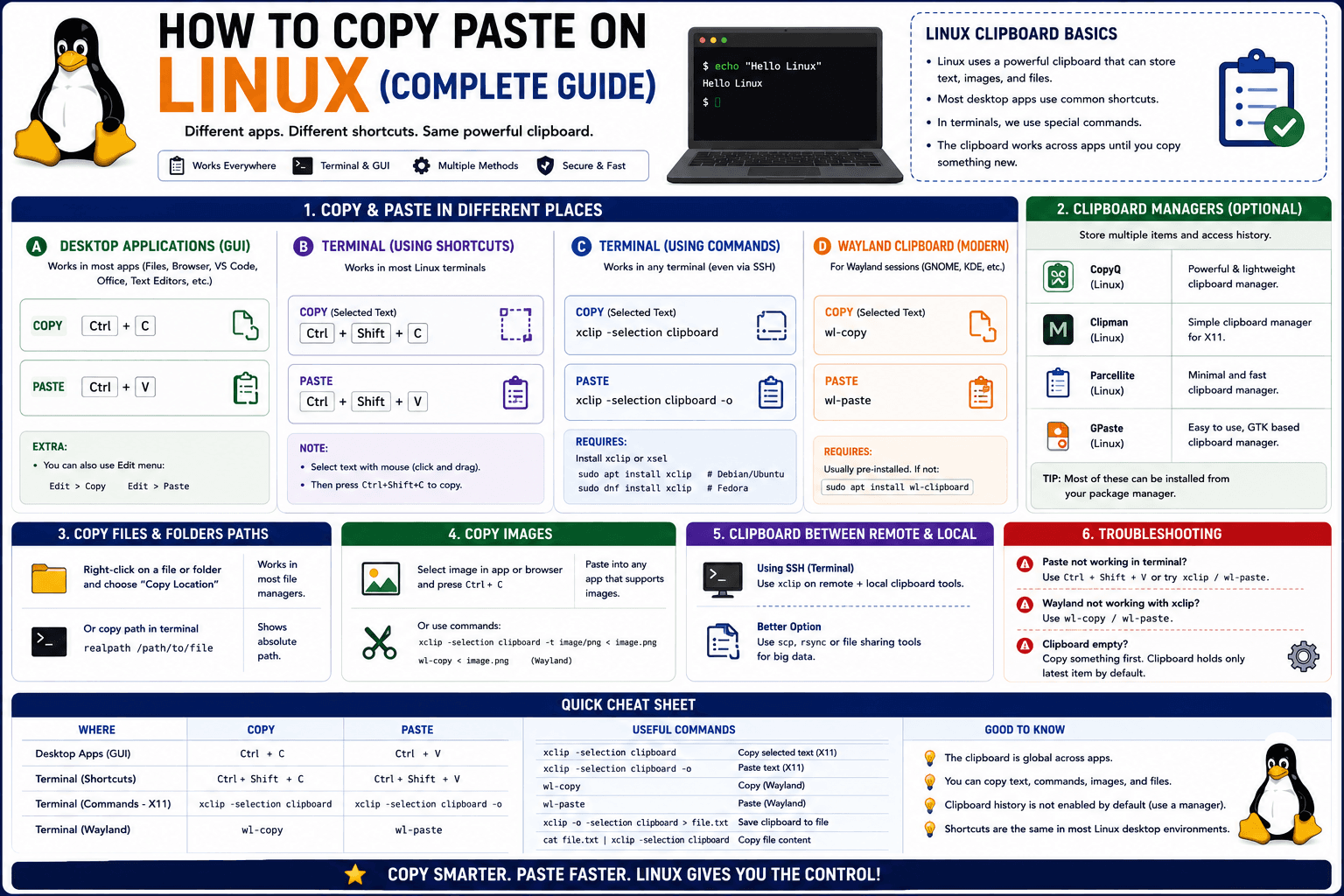
Linux quietly runs two separate clipboards at once. Understanding both explains most copy-paste confusion, plus how to sync with other operating systems.
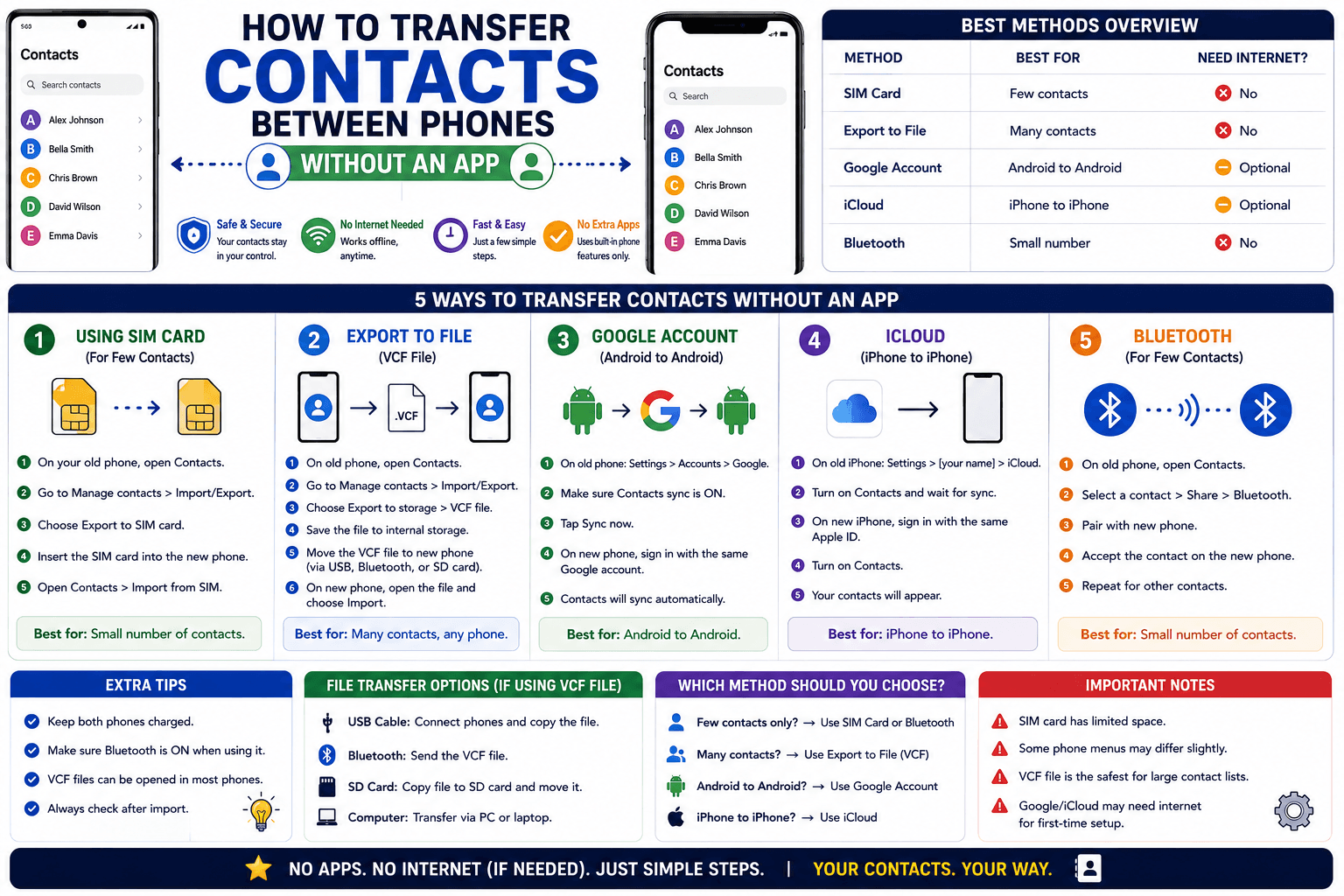
Moving to a new phone does not require a third-party transfer app. Here is how to move contacts using built-in sync or a quick vCard file export.
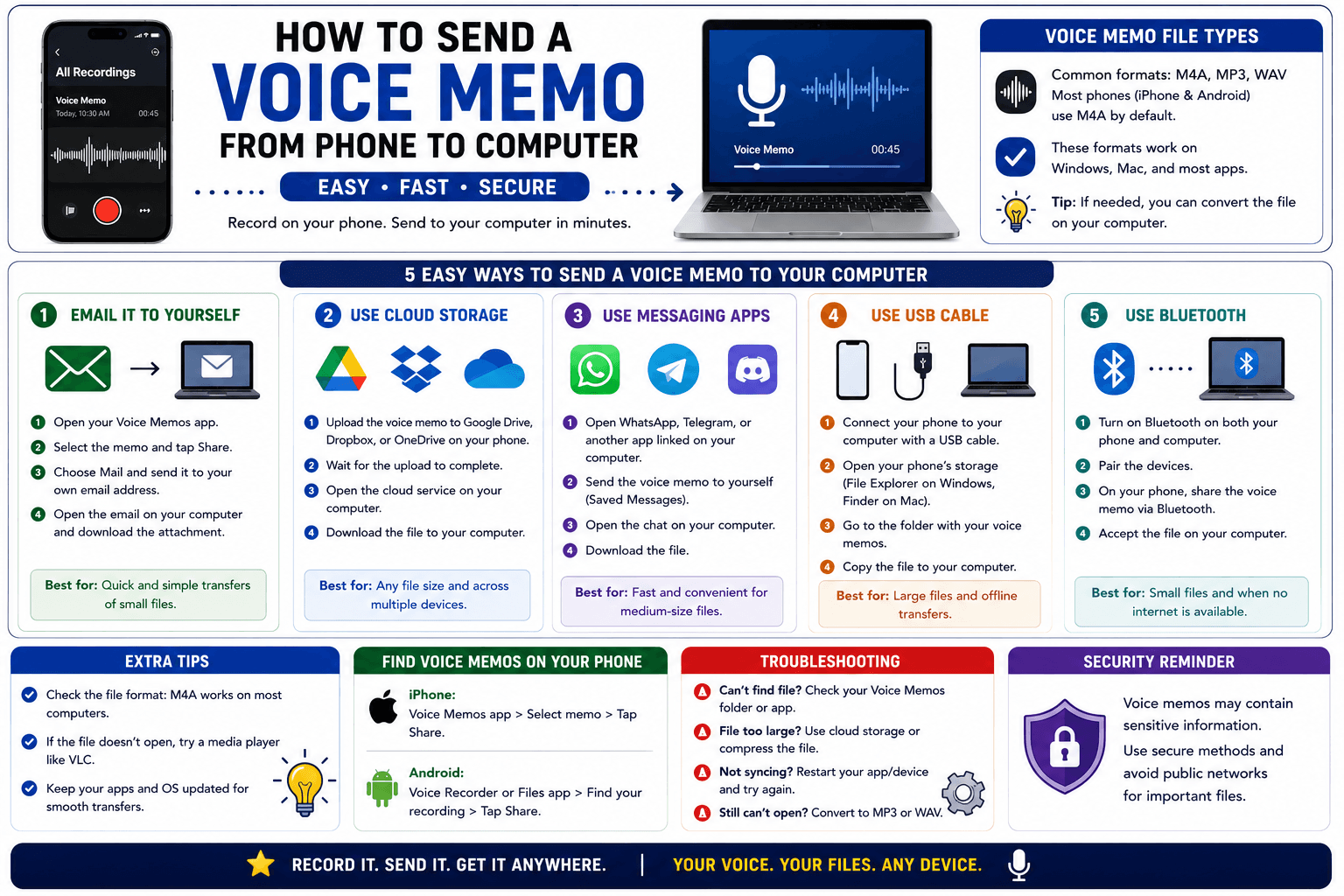
Voice memos are locked inside their app until you export them. Here is how to move a recording from your phone to your computer quickly once exported.
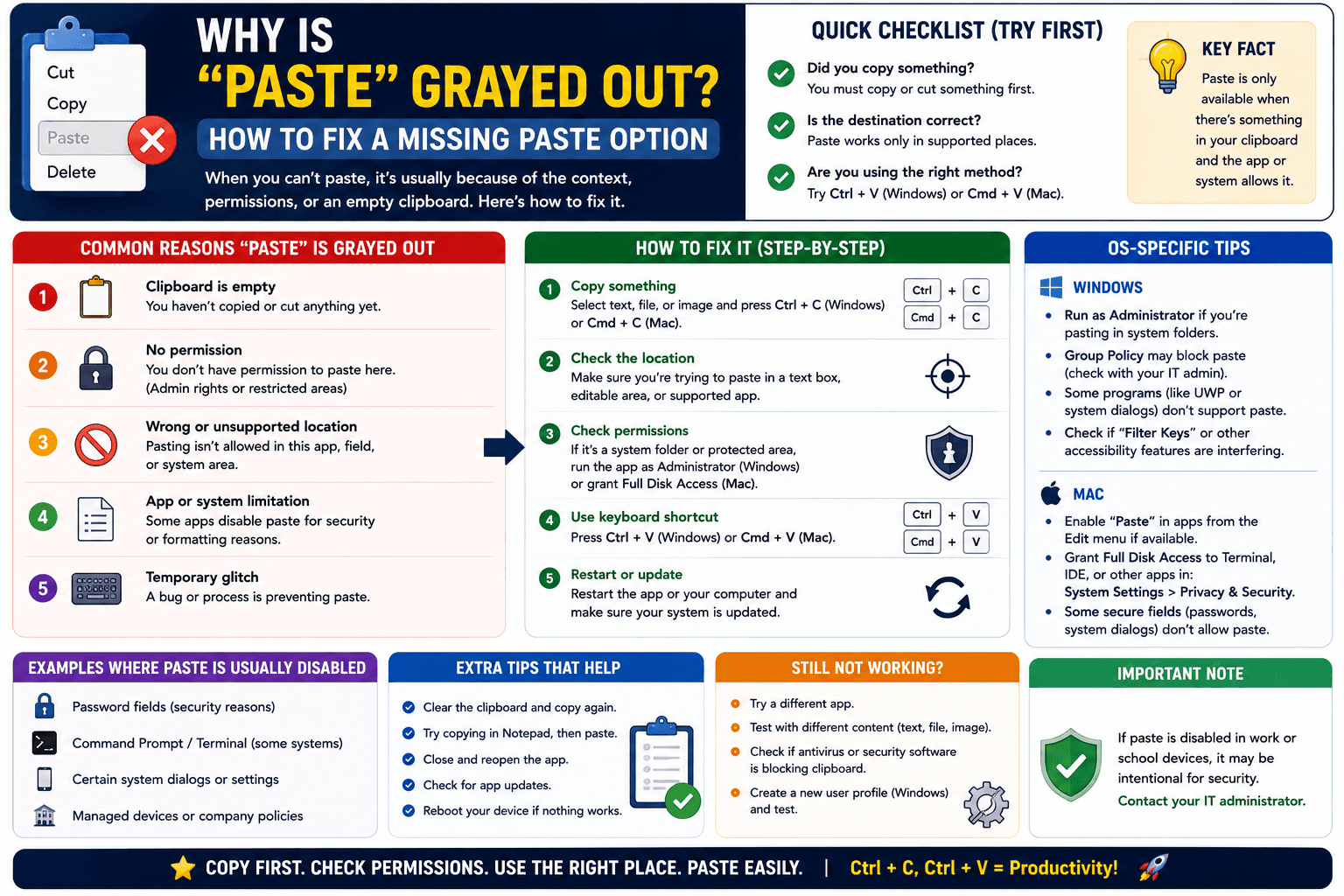
"Paste" grayed out with no error message? Here are the actual causes and the fastest way to check which one applies to you.
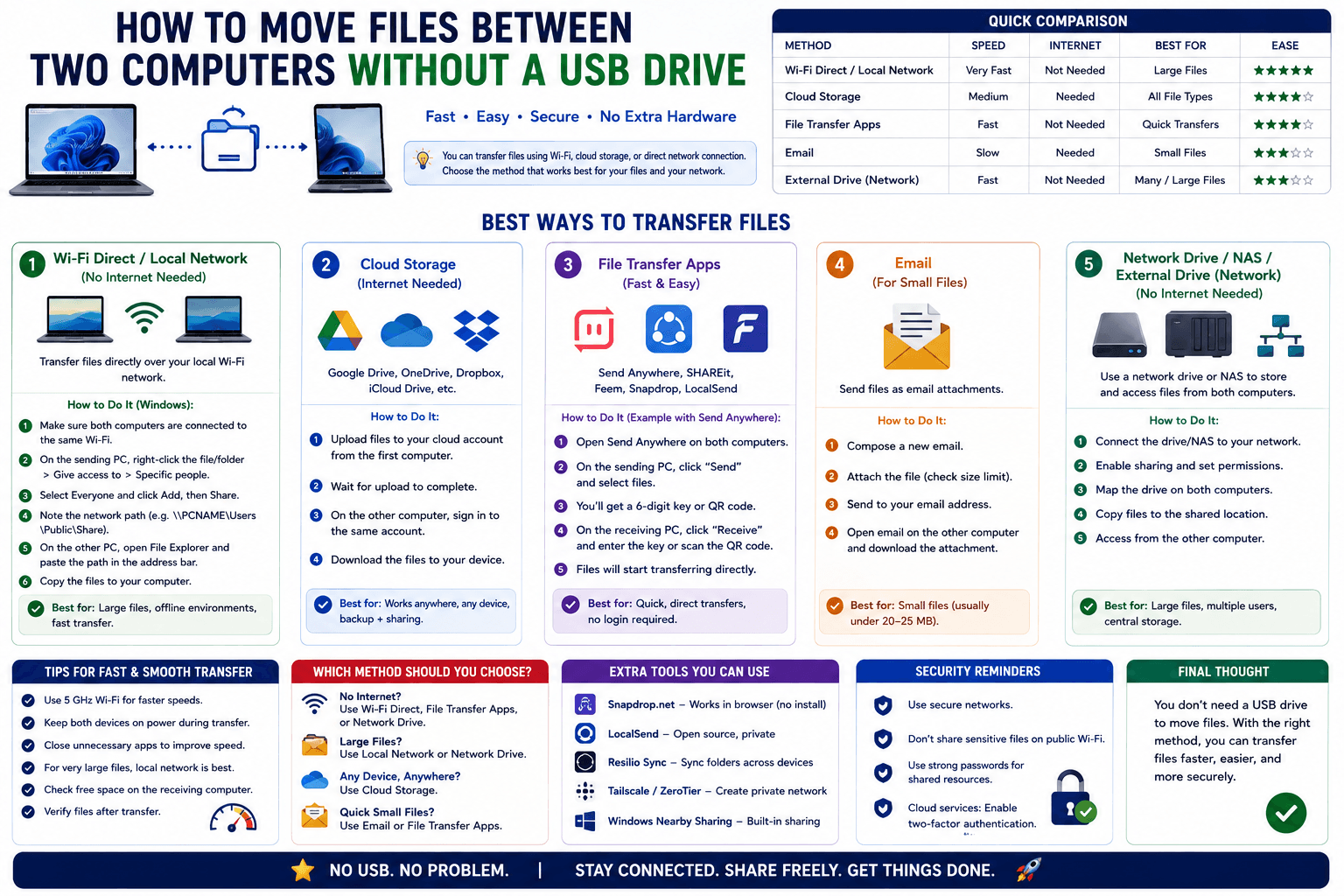
Stop reaching for a USB drive to move files between two computers on the same desk. Here is the faster way when both are on the same network.
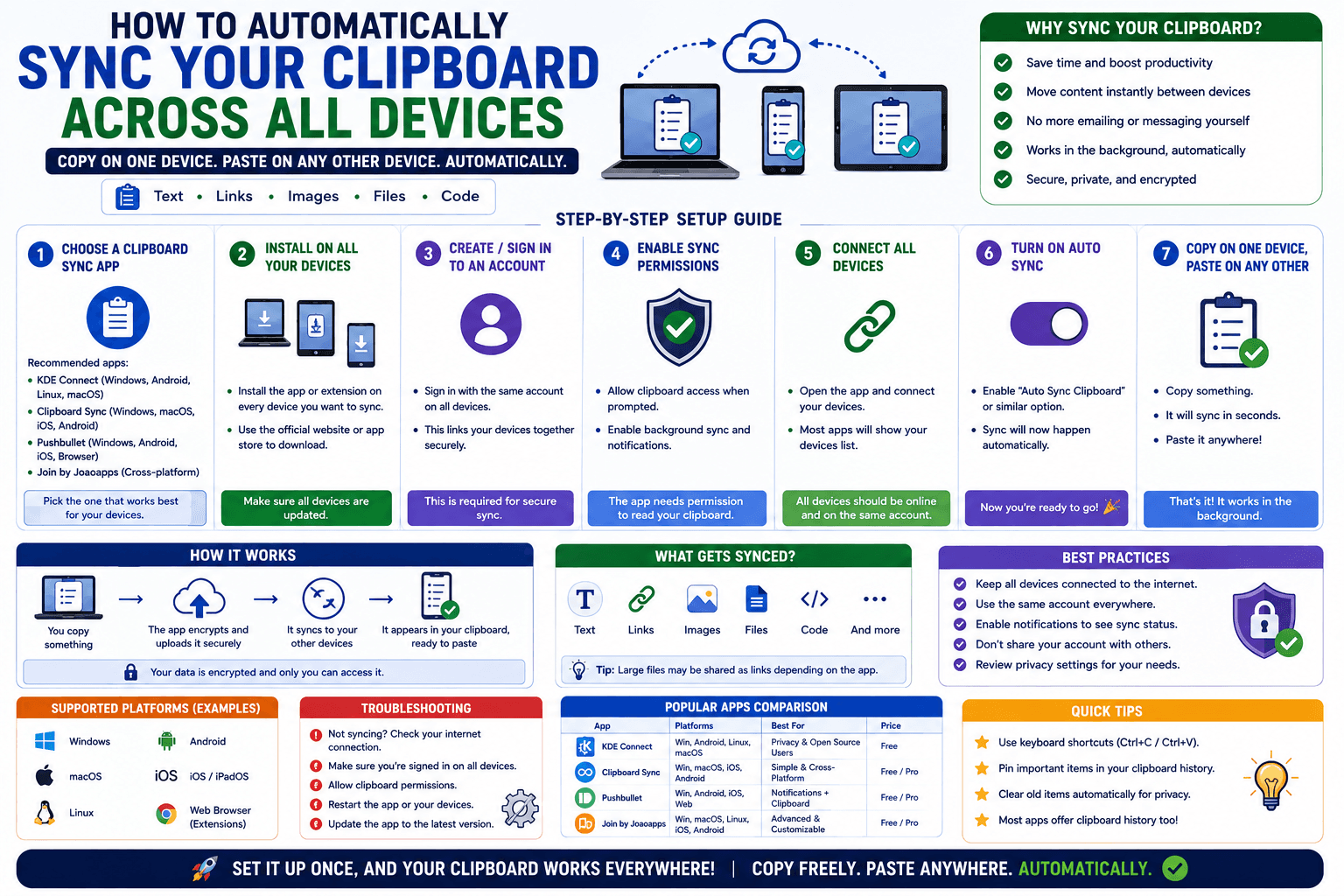
CopyPaster's Chrome extension syncs your clipboard to your account, so anything you copy on one device is ready to paste on your others automatically.
